16 Google Chat external containment
Google Chat carries direct messages, spaces and file attachments to anyone outside the organisation, which makes it a parallel sharing channel the Drive clamp (№13) never sees. This control confines external chat and spaces to allowlisted domains or turns them off, stops invites being auto-accepted, and blocks file sharing in external conversations. Chat history is aligned with Vault (№32) so what remains permitted is still discoverable.
Documentation: Chatting with external users & guest accounts
Caveats
- Turning external chat off does not delete existing external spaces, messages or memberships — already-invited outsiders keep their access while internal users lose access to those conversations, so enumerate and clean those up separately.
- Chat is a Drive-sharing bypass in users’ minds — they will attach the file they could not share, so clamp both or neither.
- Chat DLP (№28) requires Enterprise Standard+, Frontline Standard+ or an Education edition — on other editions the domain allowlist is the only real containment.
- Allowlisted-domain trust is transitive in practice — you inherit the allowlisted partner’s account hygiene along with their domain.
Setup steps
- open ↗
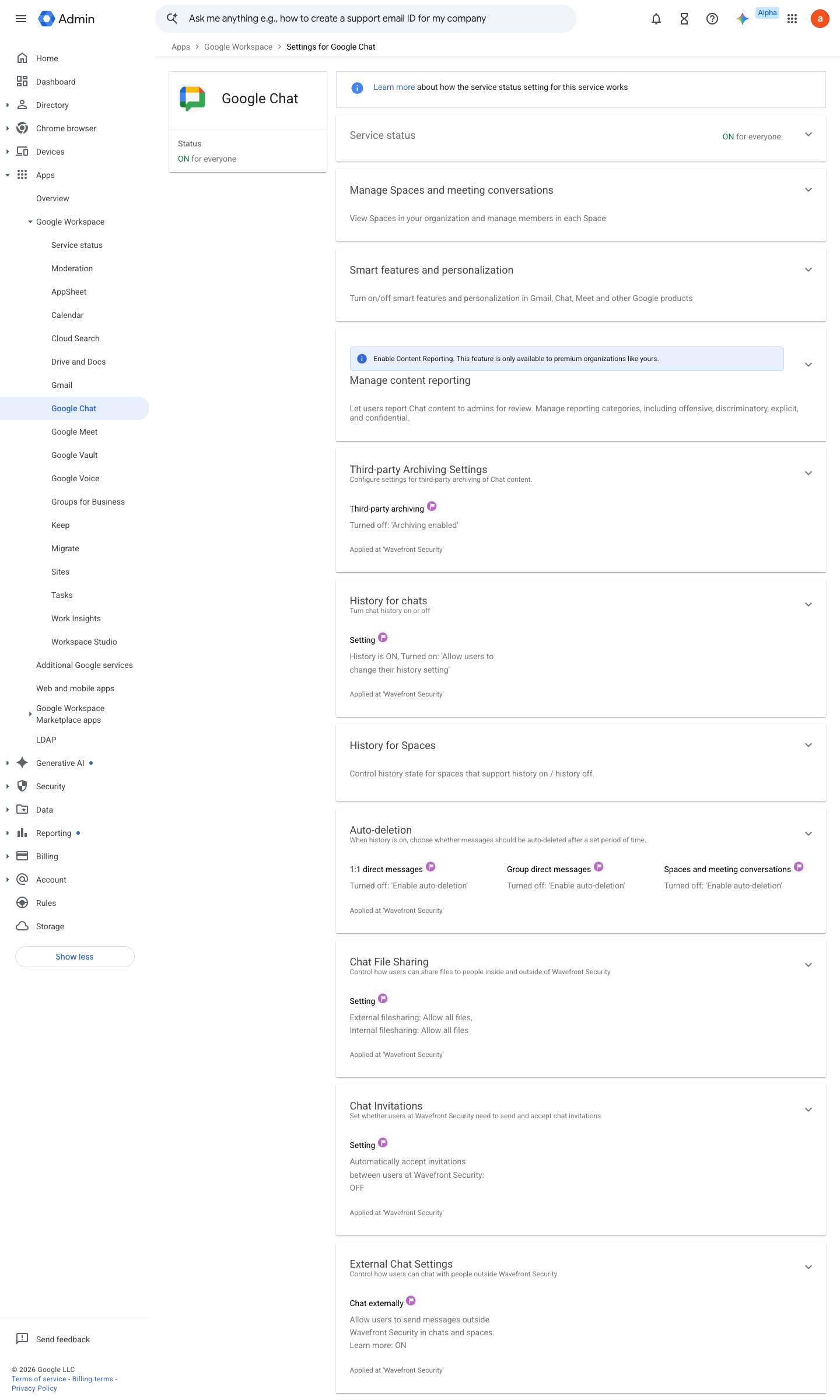
https://admin.google.com/ac/managedsettings/216932279217 · captured 2026-07-15
Apps › Google Workspace › Google Chat › External chat settingsAllow users to send messages outside your organization = Off; or On + 'Only allow this for allowlisted domains' = checked
-
Apps › Google Workspace › Google Chat › External chat settings- External spaces
restricted to allowlisted domains (setting available on Business Standard+, Enterprise Standard+, Enterprise Essentials+ and Nonprofits editions)- 'Auto-accept chat invites from familiar contacts'
unchecked
-
Apps › Google Workspace › Google Chat › Chat file sharingExternal conversations: file sharing = No files; Internal: Images only / Allow all files per policy
-
Apps › Google Workspace › Google ChatHistory = On and not user-changeable, if your retention policy requires it — this governs direct and group messages only; space history is configured separately
How to verify
-
From a test account, attempt to start a direct message with an external address — it should be refused or restricted to allowlisted domains exactly as configured.
v0.0.3 Prevent policy #15 · #19 ↗