41 Directory minimization for targeted staff
draft
The Workspace directory is an enumeration surface: any account inside the tenant, including a compromised one, can list users, aliases and extended profile fields, and Gmail will autocomplete them. This control narrows what is published (primary address only), narrows who is discoverable (a custom directory rather than the whole tenant), and hides named high-risk individuals, decoy accounts and the vault account from the directory entirely.
Documentation: Overview: Set up and manage the Directory
Caveats
- Hiding a user from the directory does not hide them from Vault, audit logs or group membership listings — and a group they belong to can still expose them.
- Propagation takes up to 24 hours, and Gmail autocomplete caches on the client for longer — a name that still appears is not proof the setting failed.
Setup steps
-
Directory › Directory settings › Sharing settings › Contact sharing- Contact sharing
ON only for primary address- alias + domain addresses
not shared
- open ↗
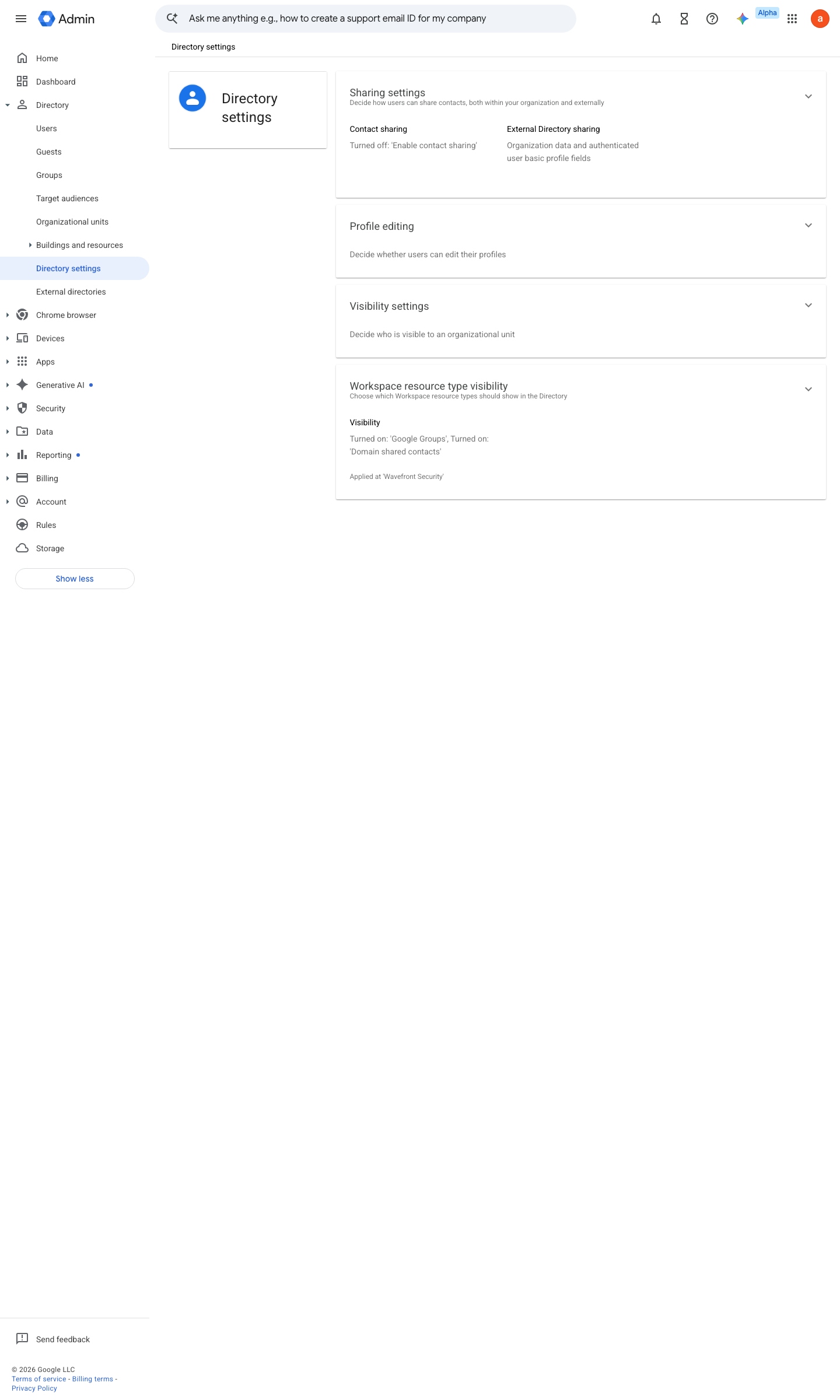
https://admin.google.com/ac/managedsettings/986128716205 · captured 2026-07-15
Directory › Directory settings › Visibility settings- Directory visibility
Users in a custom directory (or No users for the highest-risk OU)
- open ↗
![Admin console screen — Directory > Users > [user] > User information > Directory sharing (hide the individual)](../../screenshots/admin.google.com/ac/users.png)
https://admin.google.com/ac/users · captured 2026-07-15
- Directory sharing
Off (hidden from the Directory)
Ongoing maintenance
- requires a human On role changes: keep the protected-person set current.
How to verify
-
As an ordinary test user, search the directory for a protected person — the entry should be hidden or reduced. Tests the real exposure with the least possible access.
draft v0.0.3 Prevent edition All (edition gate unverified) policy #15 · #30 (gap G5) ↗