30 MTA-STS + TLS reporting
MTA-STS tells sending servers that mail for your domain must be delivered over authenticated, validated TLS to the MX hosts you name, so an attacker on the network path cannot strip the encryption or redirect delivery. Unlike SPF, DKIM and DMARC (4 Email authentication (SPF/DKIM/DMARC)), it is not a DNS record you set once: the policy is a document served over HTTPS from an mta-sts subdomain, pointed at by a TXT record whose id must change whenever the policy does. TLS-RPT is the paired reporting record that turns a failed TLS delivery into a report rather than mail that silently never comes.
Documentation: About MTA-STS and TLS reporting
Caveats
- This is a running obligation, not a set-once record — the policy is served over HTTPS, so its certificate must be renewed like any other, and if that certificate expires or the mta-sts host goes down, senders fall back to the cached policy until max_age lapses and the protection then simply disappears. Budget for monitoring it, or do not publish it.
- An enforce-mode policy that names the wrong MX hosts makes senders REFUSE to deliver to you — run in testing mode, read the TLS-RPT reports, and only then enforce. Any later MX change means updating the policy file and bumping its id first, or mail breaks.
- It protects mail coming TO you, and only from senders that implement it — it does nothing about mail you send, nothing about a sender that ignores the policy, and nothing about message content. It is a transport control, not an anti-phishing one.
Setup steps
-
https://mta-sts.<domain>/.well-known/mta-sts.txt — version: STSv1; mode: testing; mx: <each MX host>; max_age: 604800 -
TXT _smtp._tls.<domain> = v=TLSRPTv1; rua=mailto:tlsrpt@<domain> -
TXT _mta-sts.<domain> = v=STSv1; id=<1–32 alphanumeric id, e.g. a timestamp> -
Policy file mode: testing → enforce; TXT id bumped
- open ↗
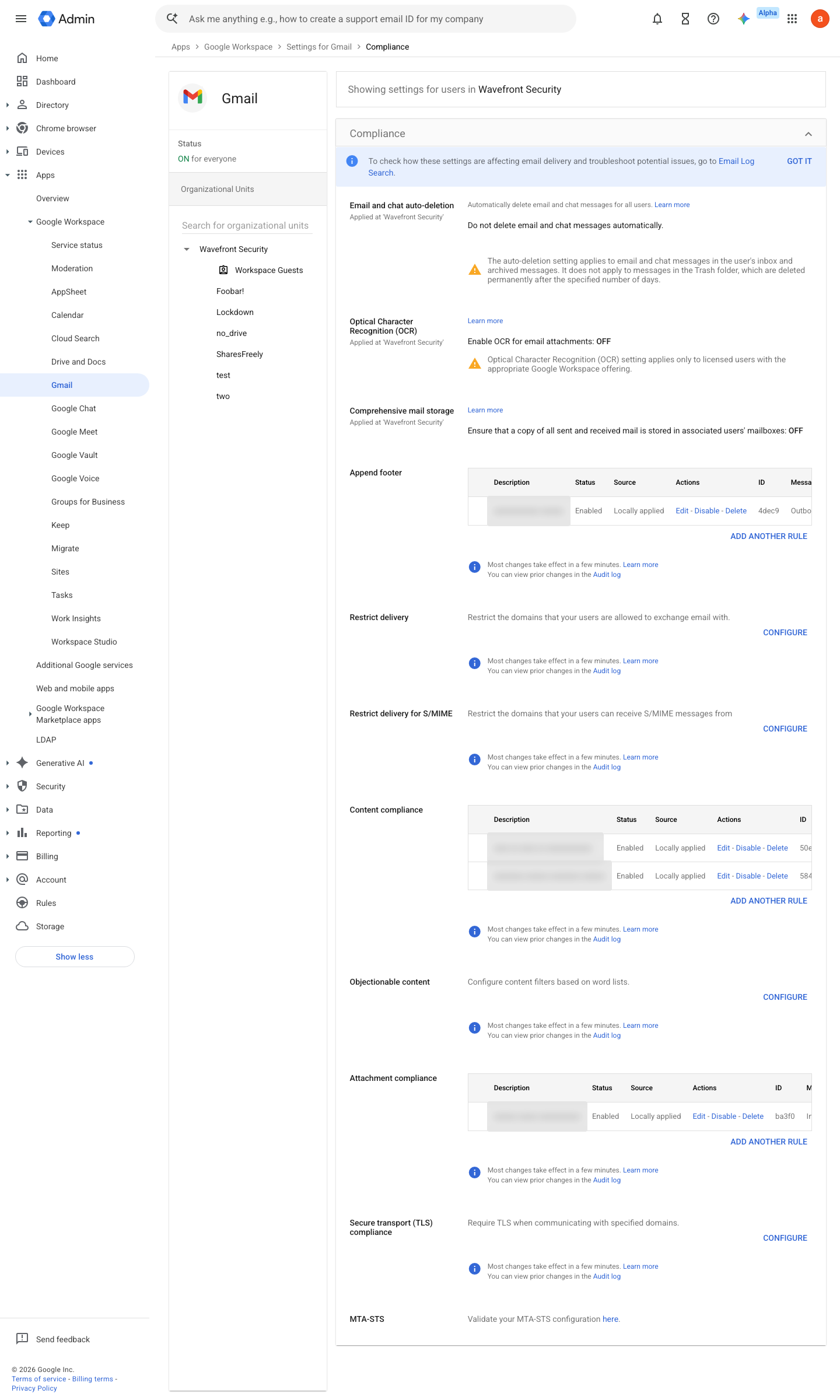
https://admin.google.com/ac/apps/gmail/compliance · captured 2026-07-15
Apps › Google Workspace › Gmail › ComplianceSecure transport (TLS) compliance: Inbound + Outbound rule for the <partner domains> address list; Require CA-signed certificate = On; Validate certificate hostname = On (run Test TLS connection before saving)
Ongoing maintenance
- automatable: script Continuously: the policy host’s TLS certificate must stay valid — expiry silently disables enforcement for senders.
- automatable: AI agent Monthly: read TLS-RPT reports for delivery failures.
How to verify
-
Both halves are public — check them from anywhere, no tenant access needed. The policy file the curl returns must say mode: enforce and list exactly the Google MXs.
dig +short TXT _mta-sts.<domain>; curl -s https://mta-sts.<domain>/.well-known/mta-sts.txt
-
Confirm TLS reporting is wired: the record must exist and its rua= address must be a mailbox someone reads.
dig +short TXT _smtp._tls.<domain>
v0.2.0 Prevent edition All (DNS + an HTTPS host) policy #6 · #27 ↗