10 Chrome managed-profile policy baseline
Forces work browsing into a managed profile (sign-in restricted to your domains), forces Enhanced Safe Browsing, password-reuse warnings, relaunch for updates, makes third-party cookies session-only, removes the WebUSB/Web Serial surface and native messaging (bar an allowlist), and moves extensions from allow-by-default to allowlist-only with per-extension permission and host limits. Chrome Enterprise Core is free, so none of this is licence-gated.
Documentation: Set Chrome policies for users or browsers · Managing Extensions in Your Enterprise
Caveats
- These are user/profile-scoped policies, not device-scoped — they follow the managed account onto an unmanaged machine, and they do not constrain a second browser. Pair with device trust (№29) if the threat model includes the endpoint itself.
Setup steps
- open ↗
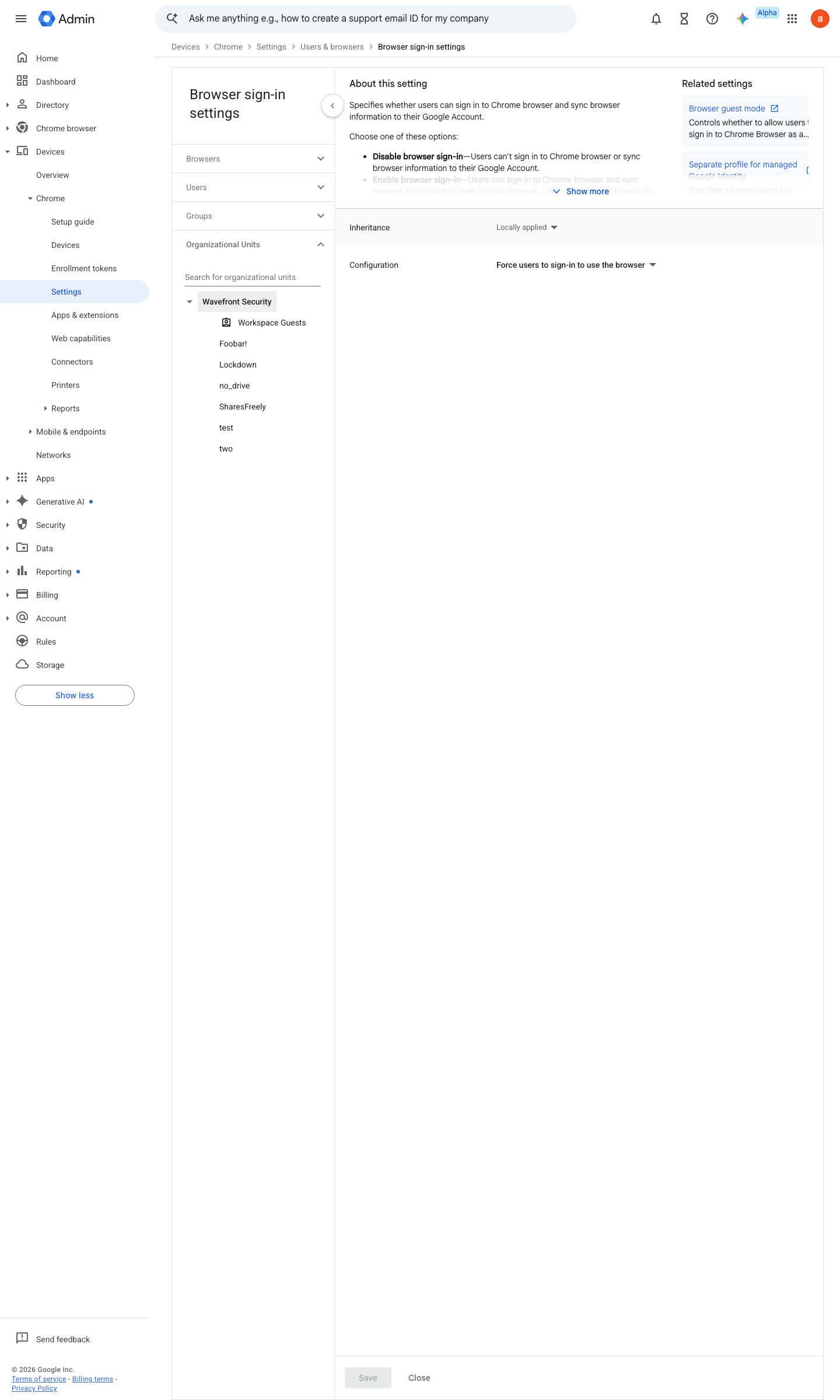
https://admin.google.com/ac/chrome/settings/user/details/browser_signin_category_item · captured 2026-07-15
Devices › Chrome › Settings › Users & browsers › Browser sign-in settings- Browser sign-in settings
Force users to sign in to use the browser
- open ↗
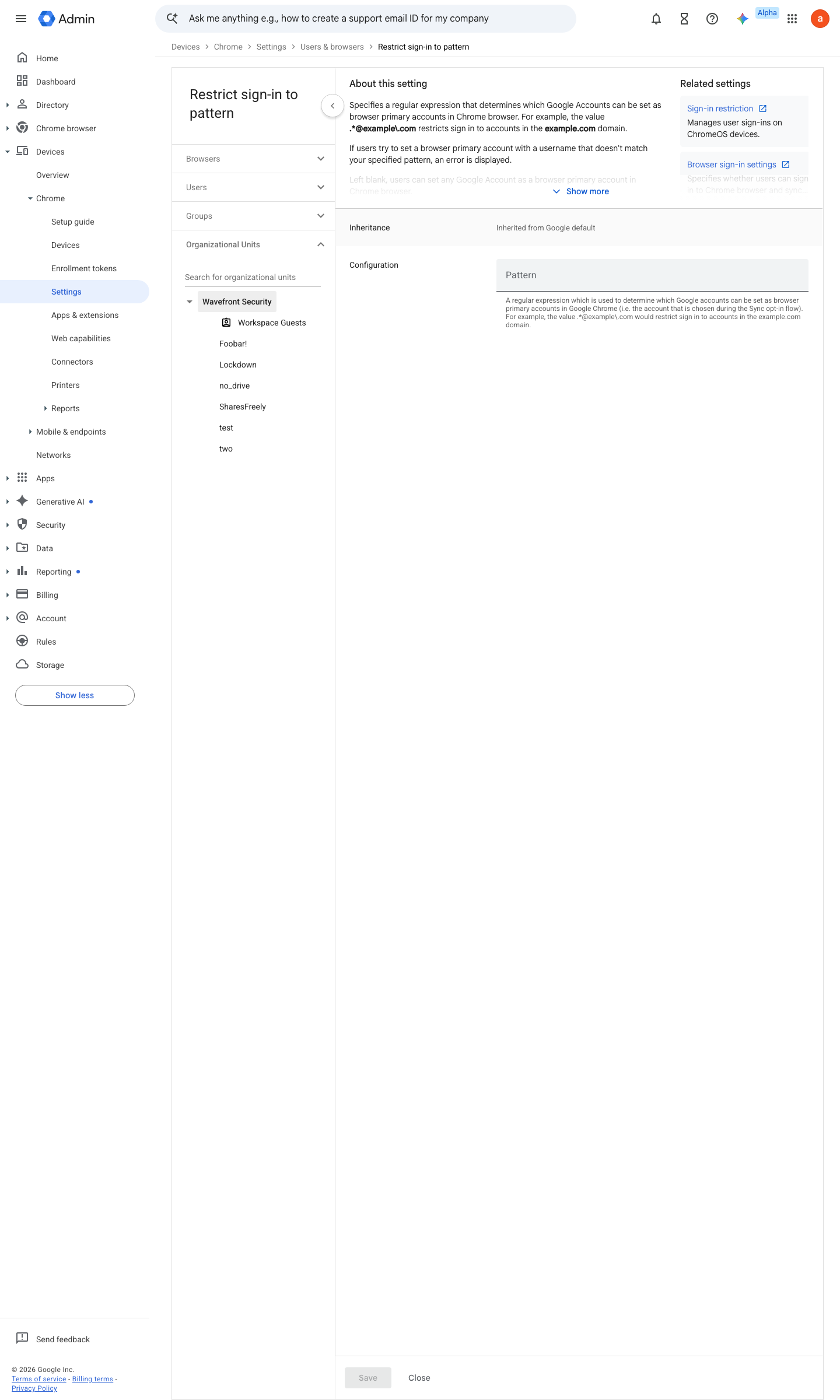
https://admin.google.com/ac/chrome/settings/user/details/restrict_signin_to_pattern_category_item · captured 2026-07-15
Devices › Chrome › Settings › Users & browsers › Restrict sign-in to pattern- Restrict sign-in to pattern
.*@<your-workspace-domain>\.org
- open ↗
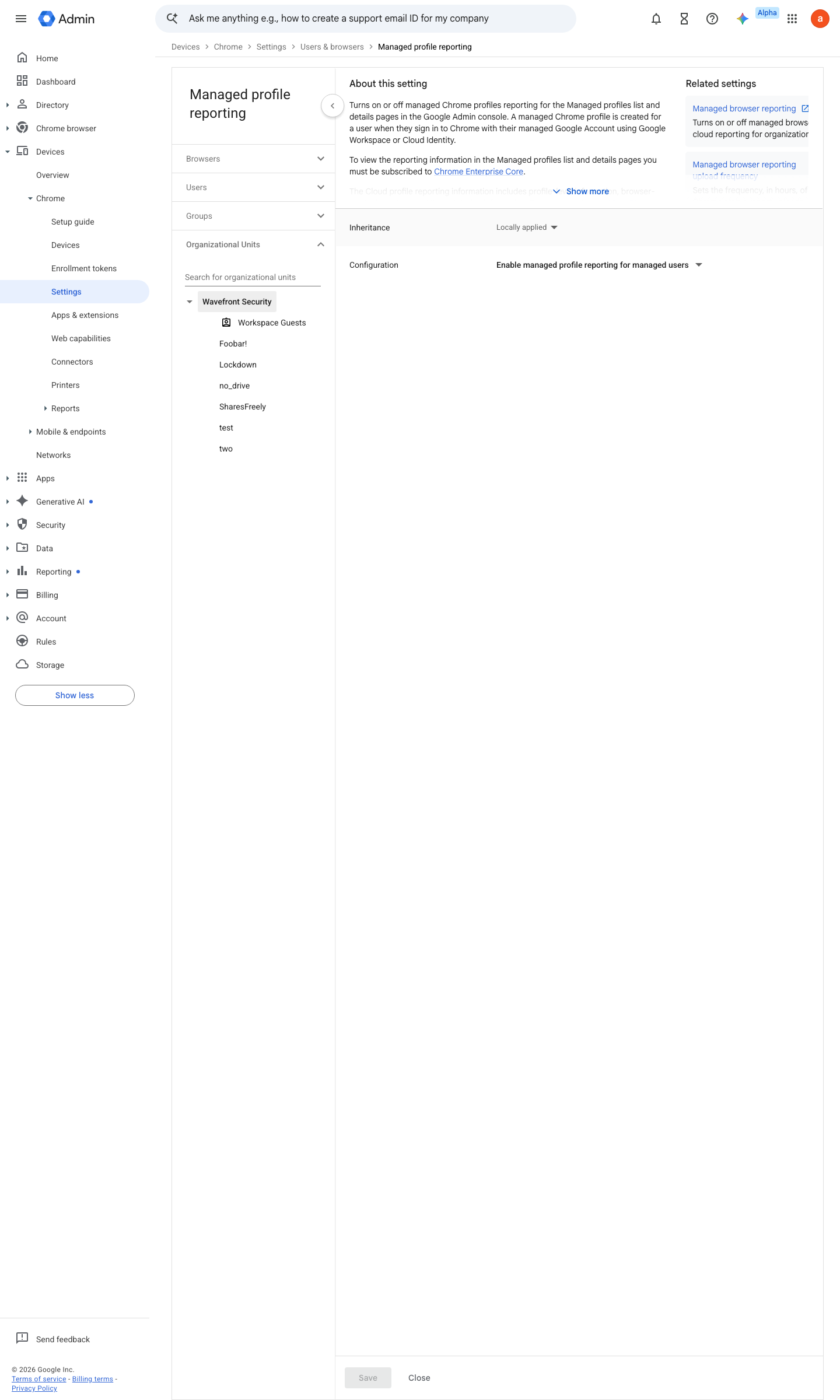
https://admin.google.com/ac/chrome/settings/user/details/cloud_profile_reporting · captured 2026-07-15
Devices › Chrome › Settings › Users & browsers › Managed profile reporting- Managed profile reporting
Enabled
- open ↗
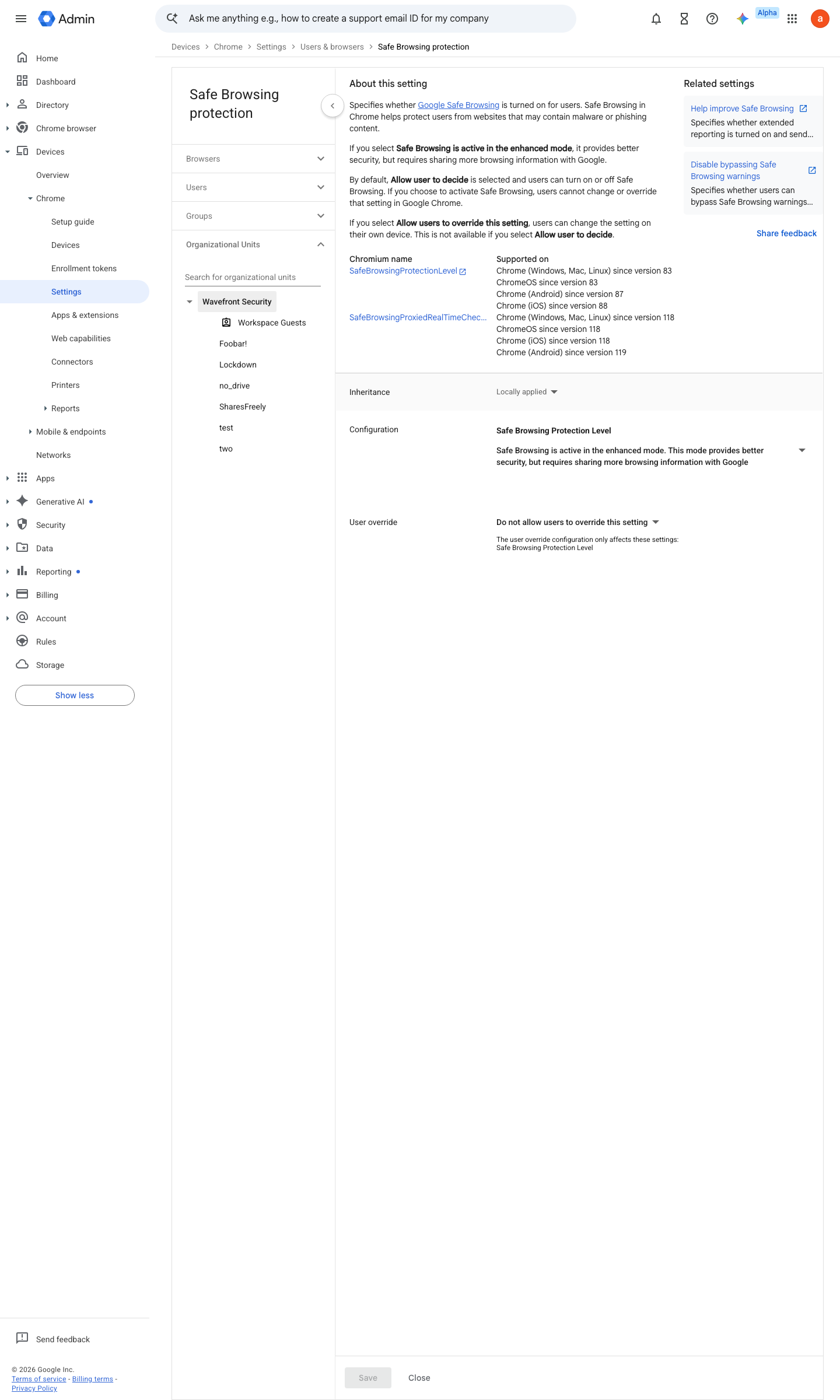
https://admin.google.com/ac/chrome/settings/user/details/safe_browsing_protection_level_category_item?f=SEARCH.safe%2520browsing · captured 2026-07-15
Devices › Chrome › Settings › Users & browsers › Safe Browsing Protection- Safe Browsing Protection
Safe Browsing is active in the enhanced mode (forced — users cannot override)
- open ↗
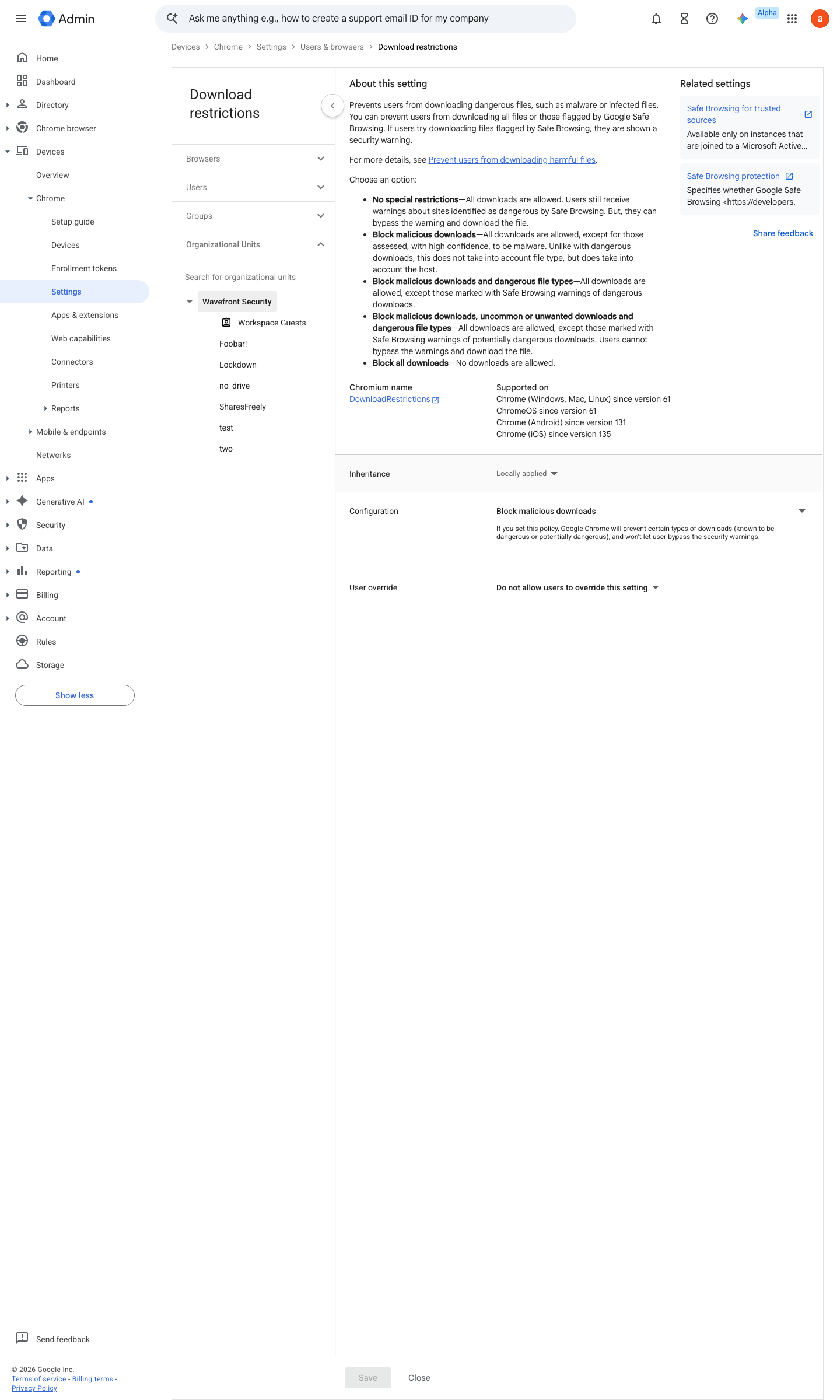
https://admin.google.com/ac/chrome/settings/user/details/download_restrictions?f=SEARCH.download · captured 2026-07-15
Devices › Chrome › Settings › Users & browsers › Download restrictions- Download restrictions
Block malicious downloads, uncommon or unwanted downloads and dangerous file types
- open ↗
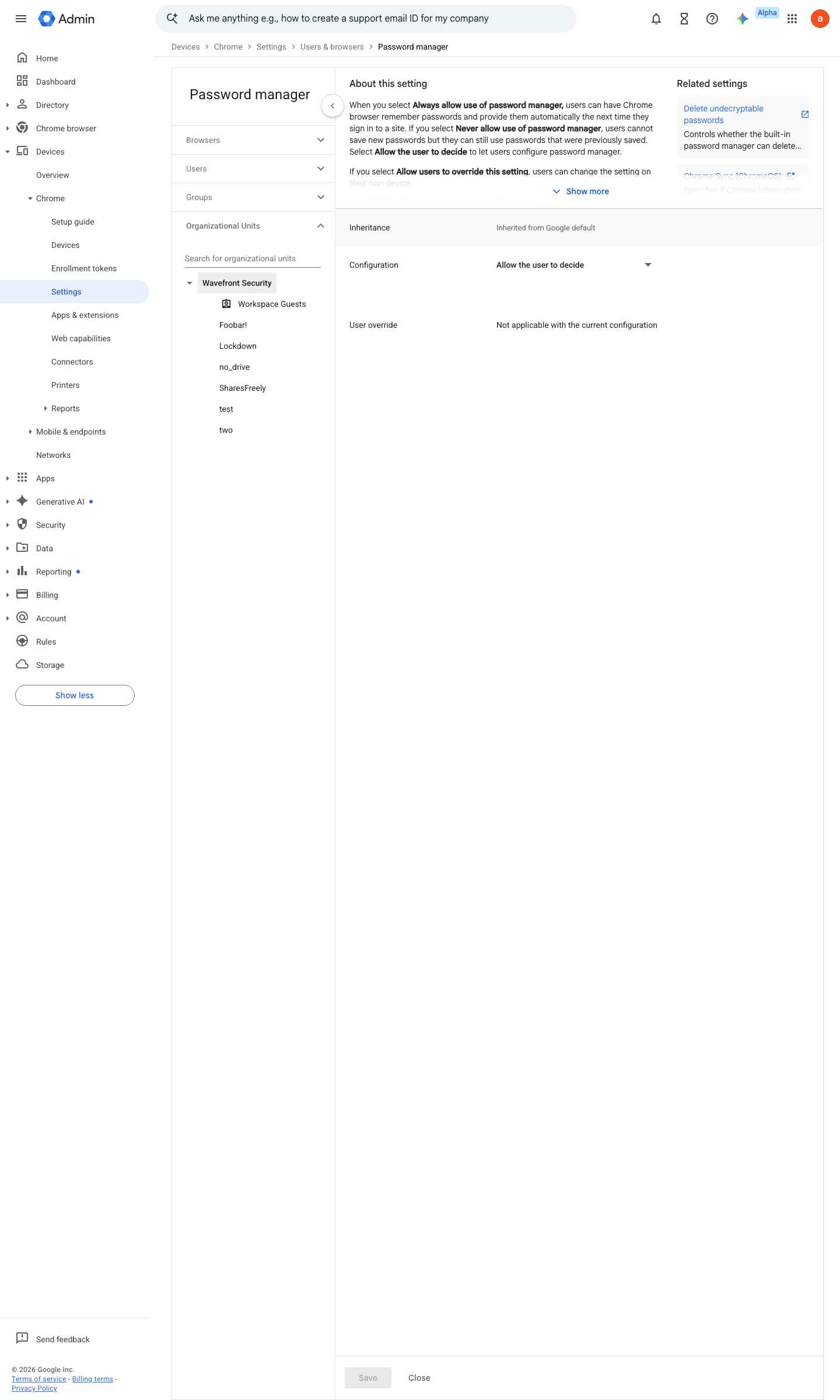
https://admin.google.com/ac/chrome/settings/user/details/password_manager?f=SEARCH.password%2520protection · captured 2026-07-15
Devices › Chrome › Settings › Users & browsers › Password manager- Password manager
Never allow use of password manager
-
Devices › Chrome › Settings › Users & browsers › Password alert- Password alert
Trigger on password reuse- Login URLs
https://accounts.google.com (plus the IdP's sign-in URL where SSO is in place)- Change password URL
the page users actually change it on
- open ↗
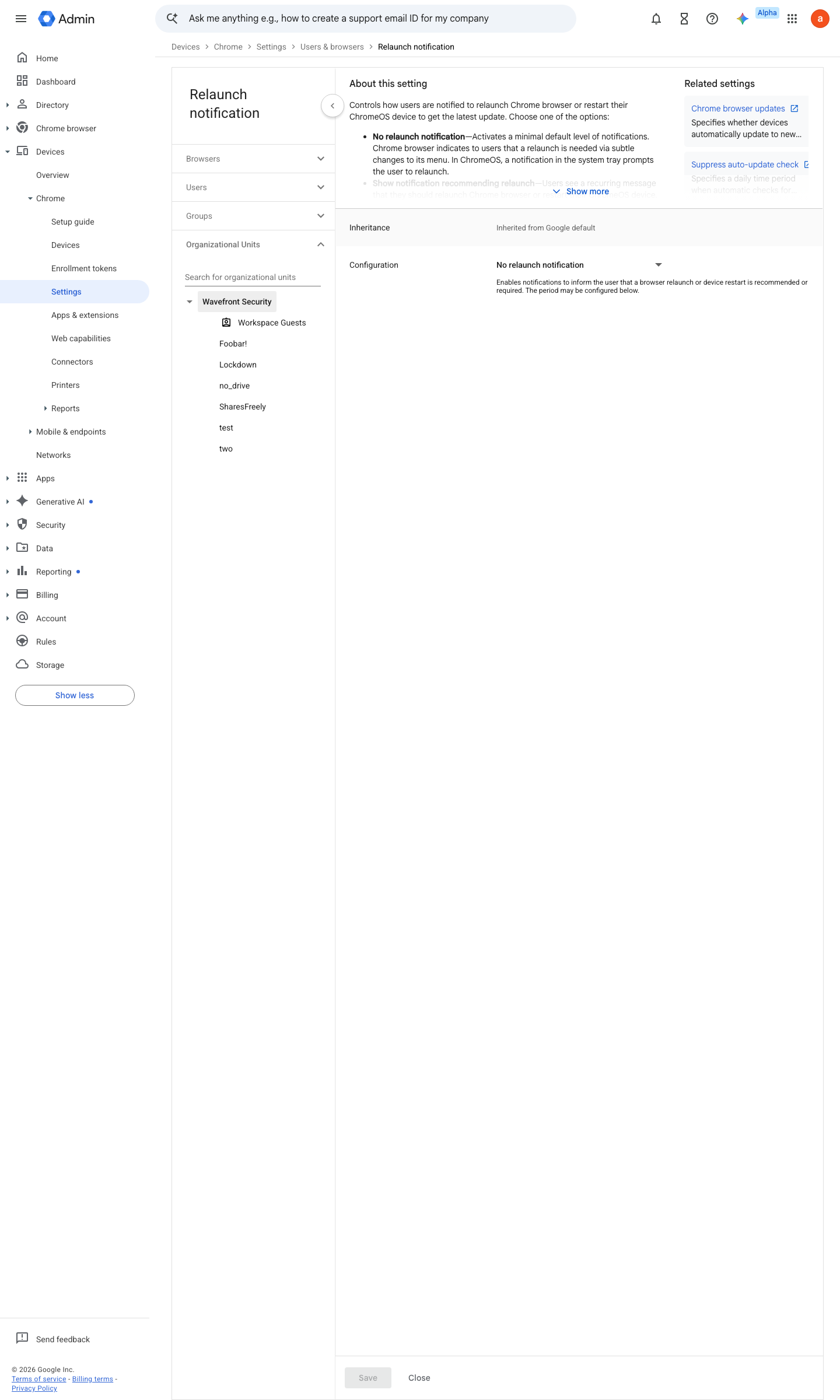
https://admin.google.com/ac/chrome/settings/user/details/relaunch_notification_with_duration?f=SEARCH.relaunch · captured 2026-07-15
Devices › Chrome › Settings › Users & browsers › Relaunch notification- Relaunch notification
Force relaunch after a period- Time period
48 hours- Initial quiet period
24 hours
- open ↗
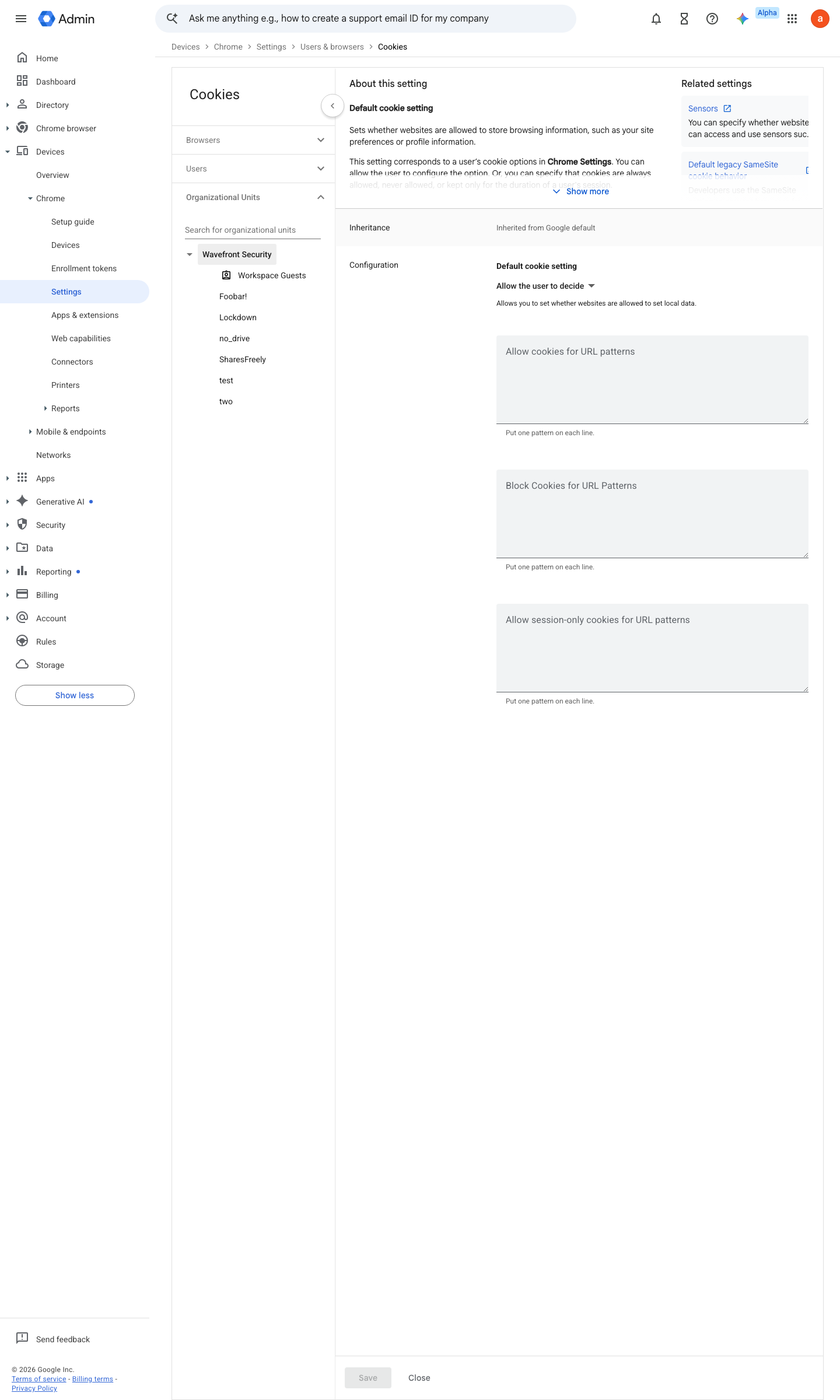
https://admin.google.com/ac/chrome/settings/user/details/cookies?f=SEARCH.cookies · captured 2026-07-15
Devices › Chrome › Settings › Users & browsers › Cookies- Default cookie setting
Session only- Allow cookies for URL patterns
your corp domains, [*.]google.com, your Slack.
-
Screenshot pending capture — follow the steps below.
Devices › Chrome › Settings › Users & browsers › Startup pages- Startup pages
Open New Tab Page
- open ↗
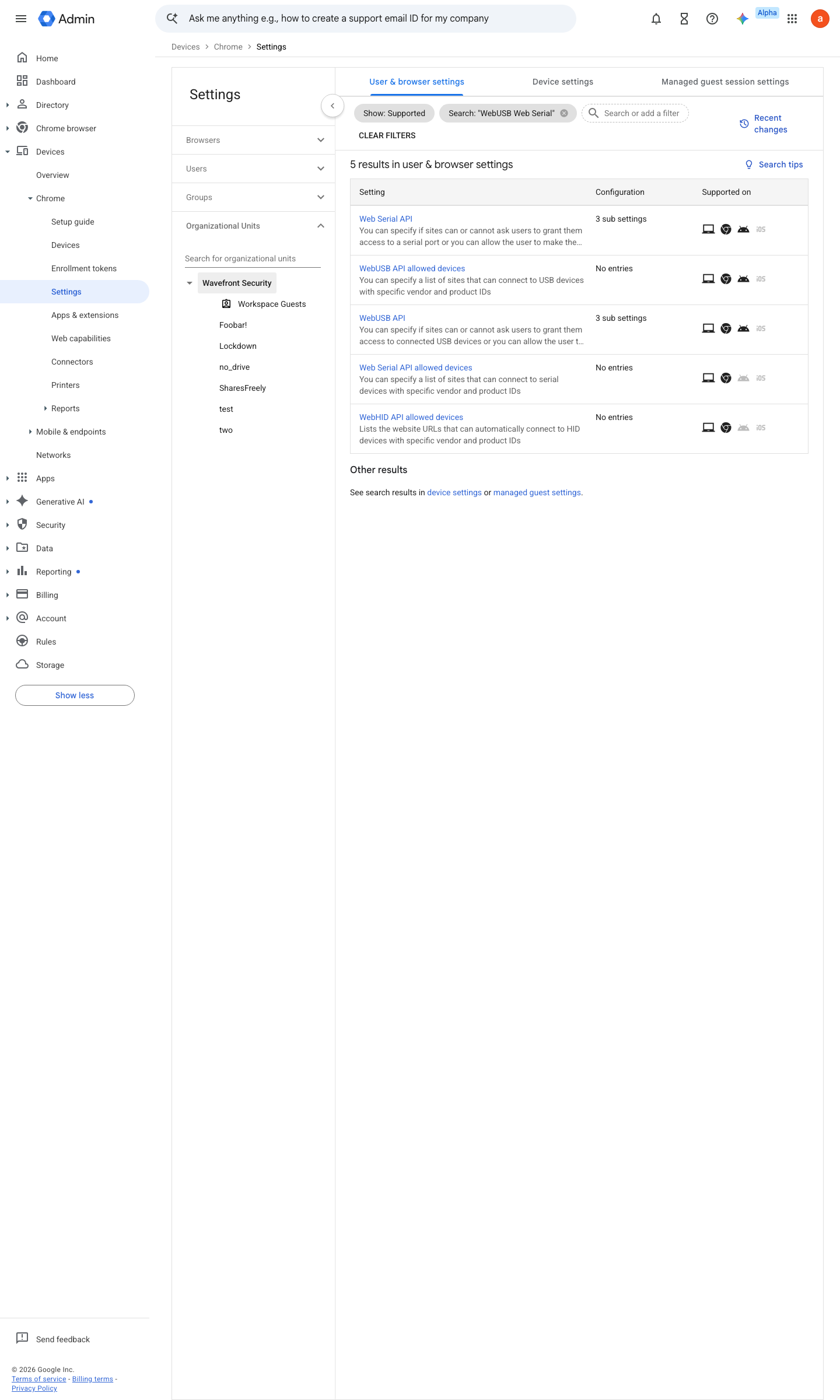
https://admin.google.com/ac/chrome/settings/user?f=SEARCH.WebUSB%2520Web%2520Serial · captured 2026-07-15
Devices › Chrome › Settings › Users & browsers- WebUSB
Do not allow sites to request access- Web Serial API
Do not allow sites to request access
- open ↗
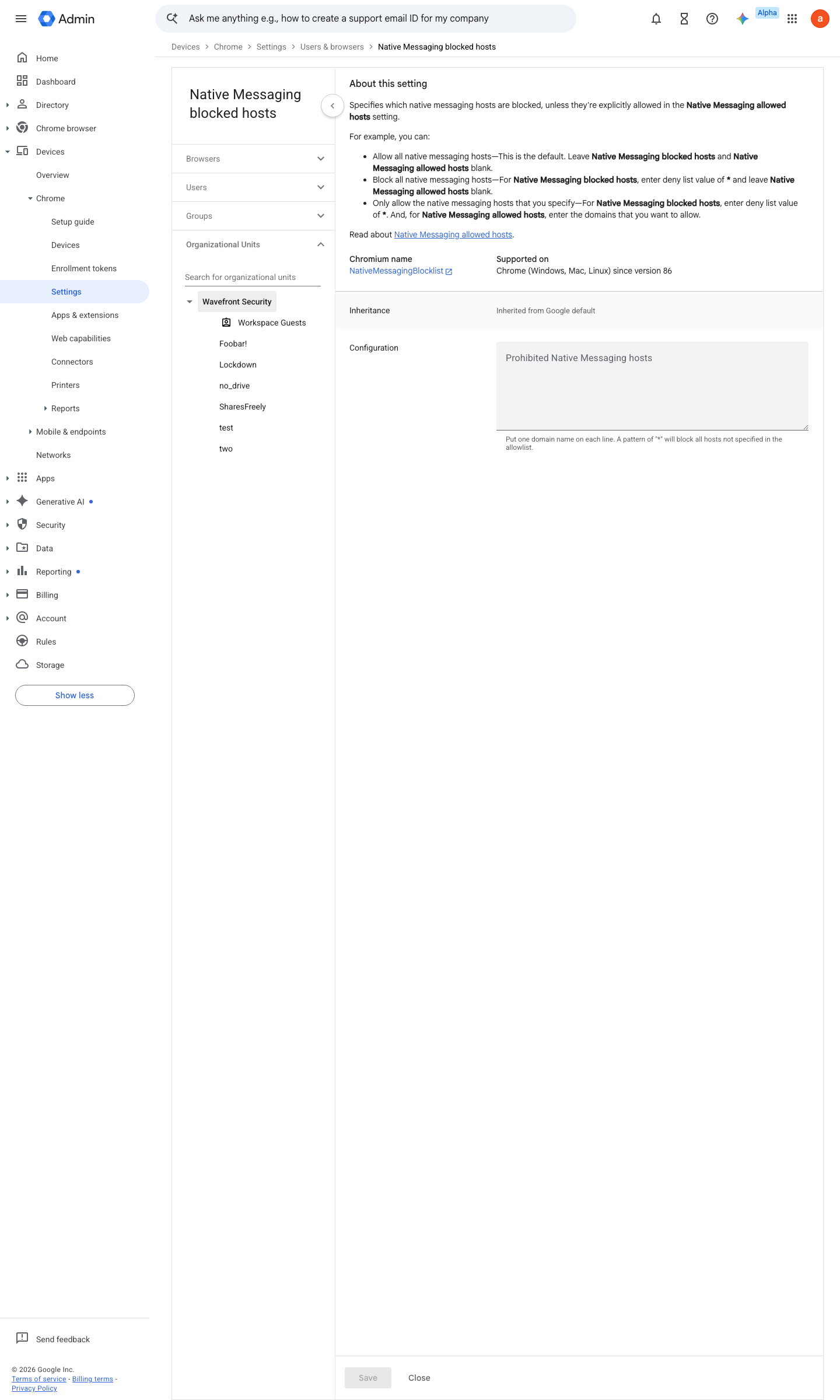
https://admin.google.com/ac/chrome/settings/user/details/native_messaging_blocked?f=SEARCH.native%2520messaging · captured 2026-07-15
Devices › Chrome › Settings › Users & browsers › Native messaging blocked- Native messaging blocked hosts
*
- open ↗
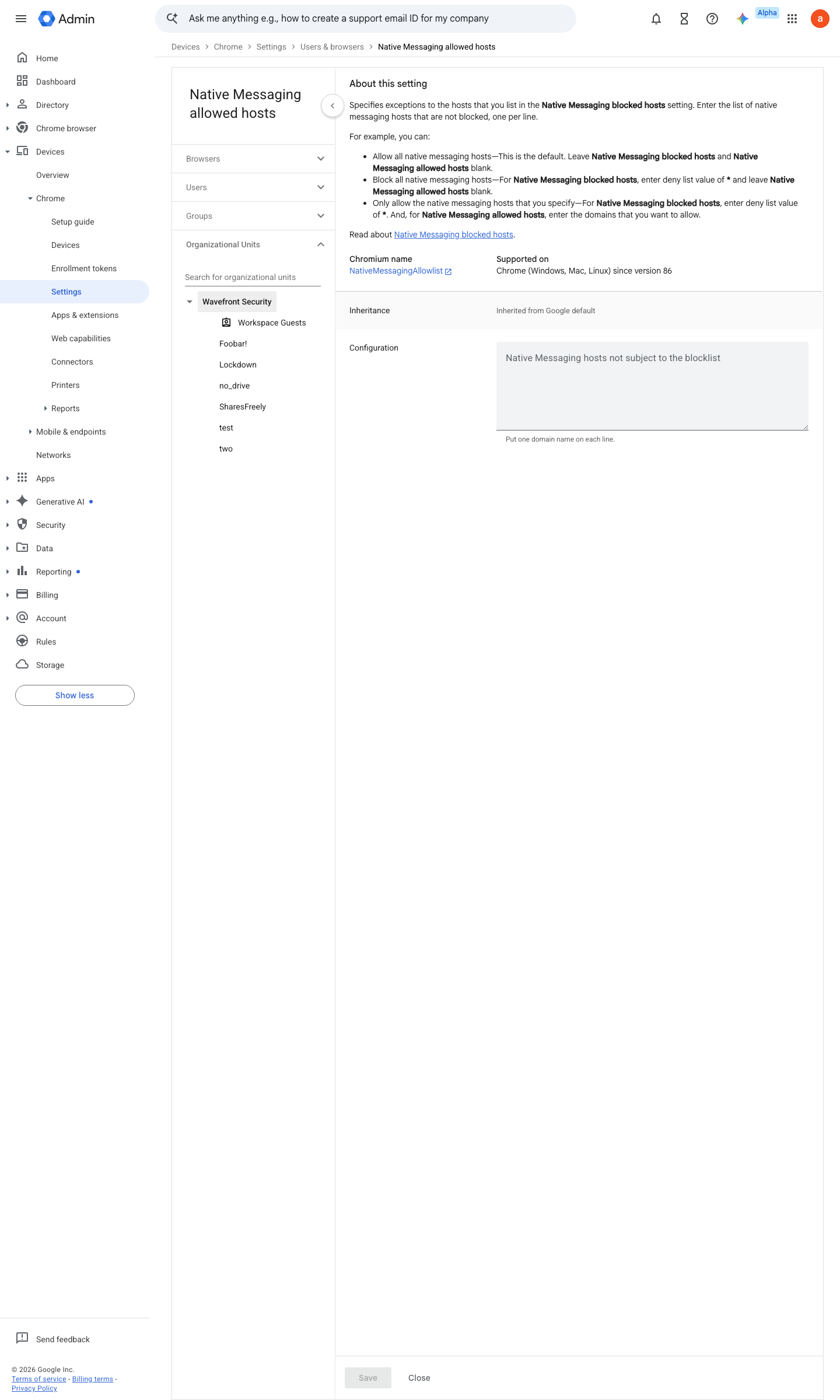
https://admin.google.com/ac/chrome/settings/user/details/native_messaging_allowed?f=SEARCH.native%2520messaging · captured 2026-07-15
Devices › Chrome › Settings › Users & browsers › Native messaging allowed- Native messaging allowed hosts
com.1password.1passwordcom.8bit.bitwarden
- open ↗
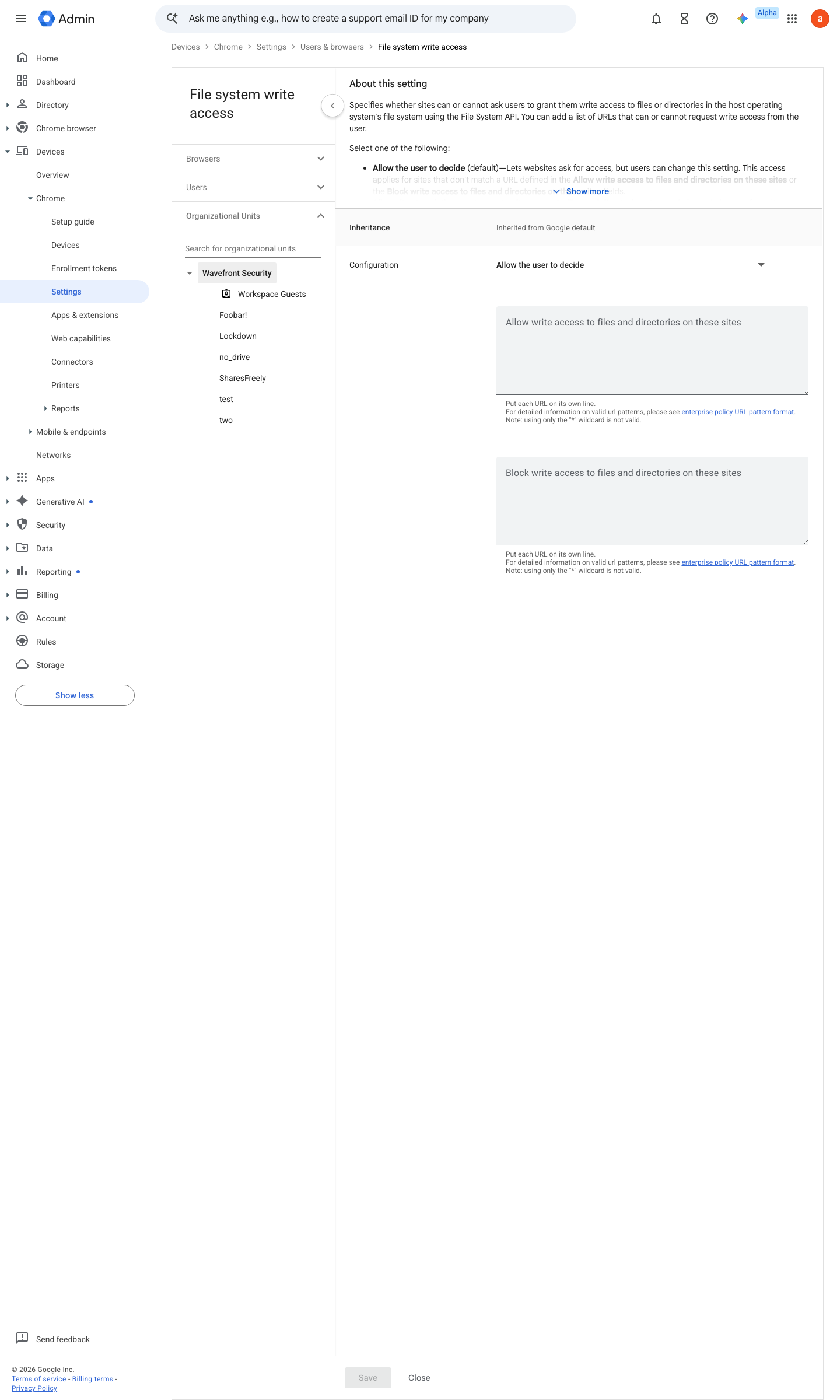
https://admin.google.com/ac/chrome/settings/user/details/default_file_system_write_guard_setting_category_item?f=SEARCH.default%2520file%2520system · captured 2026-07-15
Devices › Chrome › Settings › Users & browsers › File system write access- File system write access
Do not allow sites to request write access
- open ↗
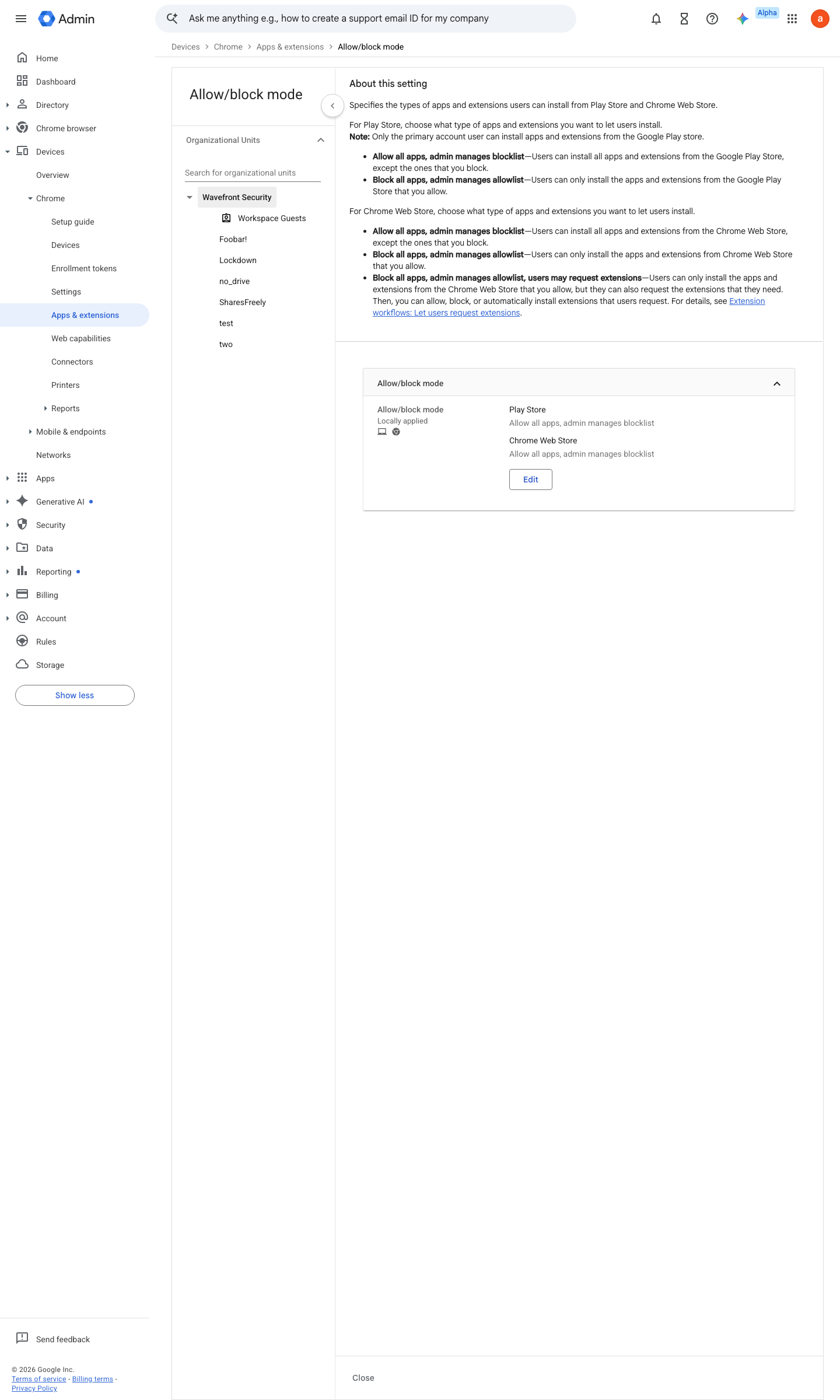
https://admin.google.com/ac/chrome/apps/user/settings/details/allow_block_mode_setting · captured 2026-07-15
Devices › Chrome › Apps & extensions › Users & browsers › Settings › Allow/block modeAllow/block mode (Play Store and Chrome Web Store) = Block all apps, admin manages allowlist
- open ↗
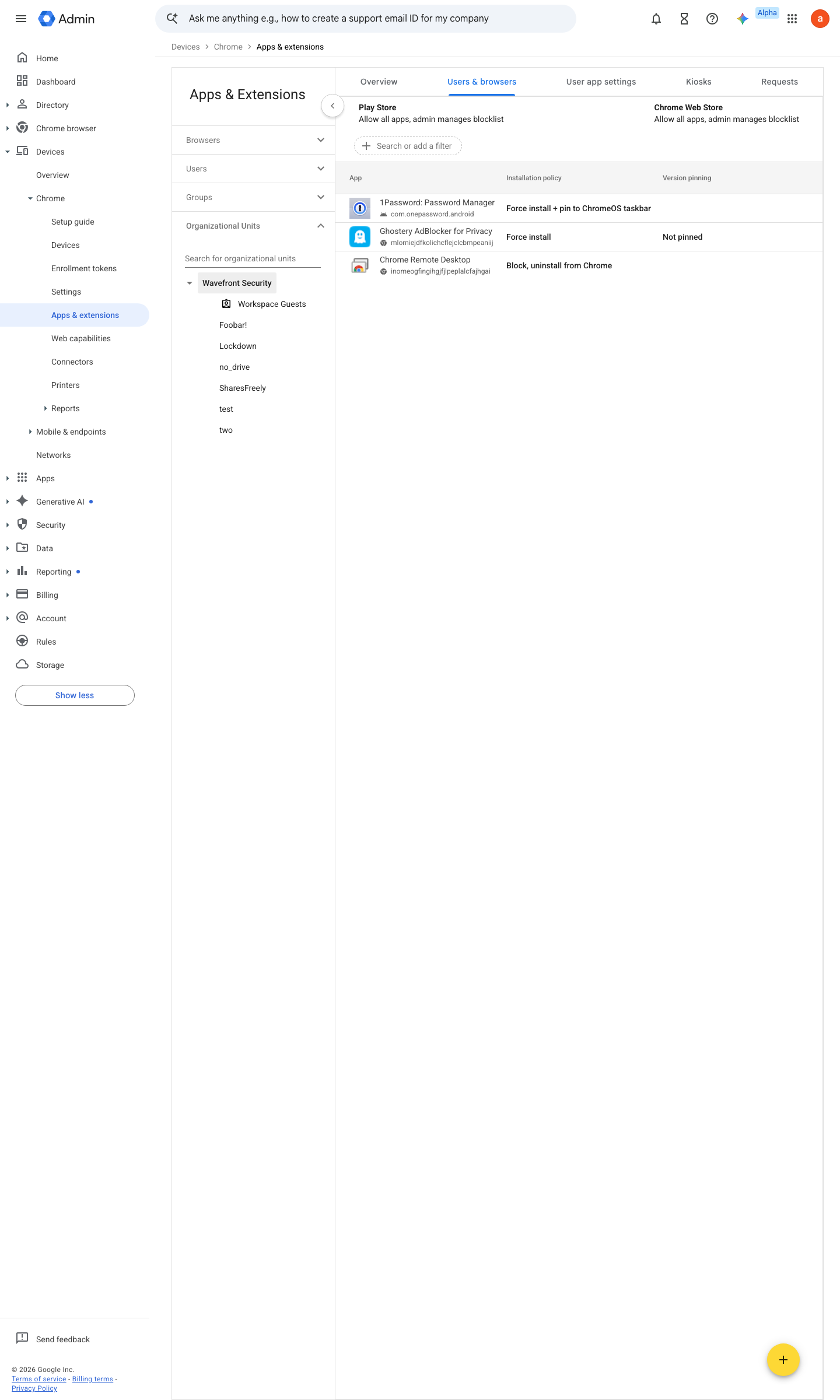
https://admin.google.com/ac/chrome/apps/user · captured 2026-07-15
Devices › Chrome › Apps & extensions › Users & browsersForce install: password manager, content blocker; allowlisted: the approved optional set
- open ↗
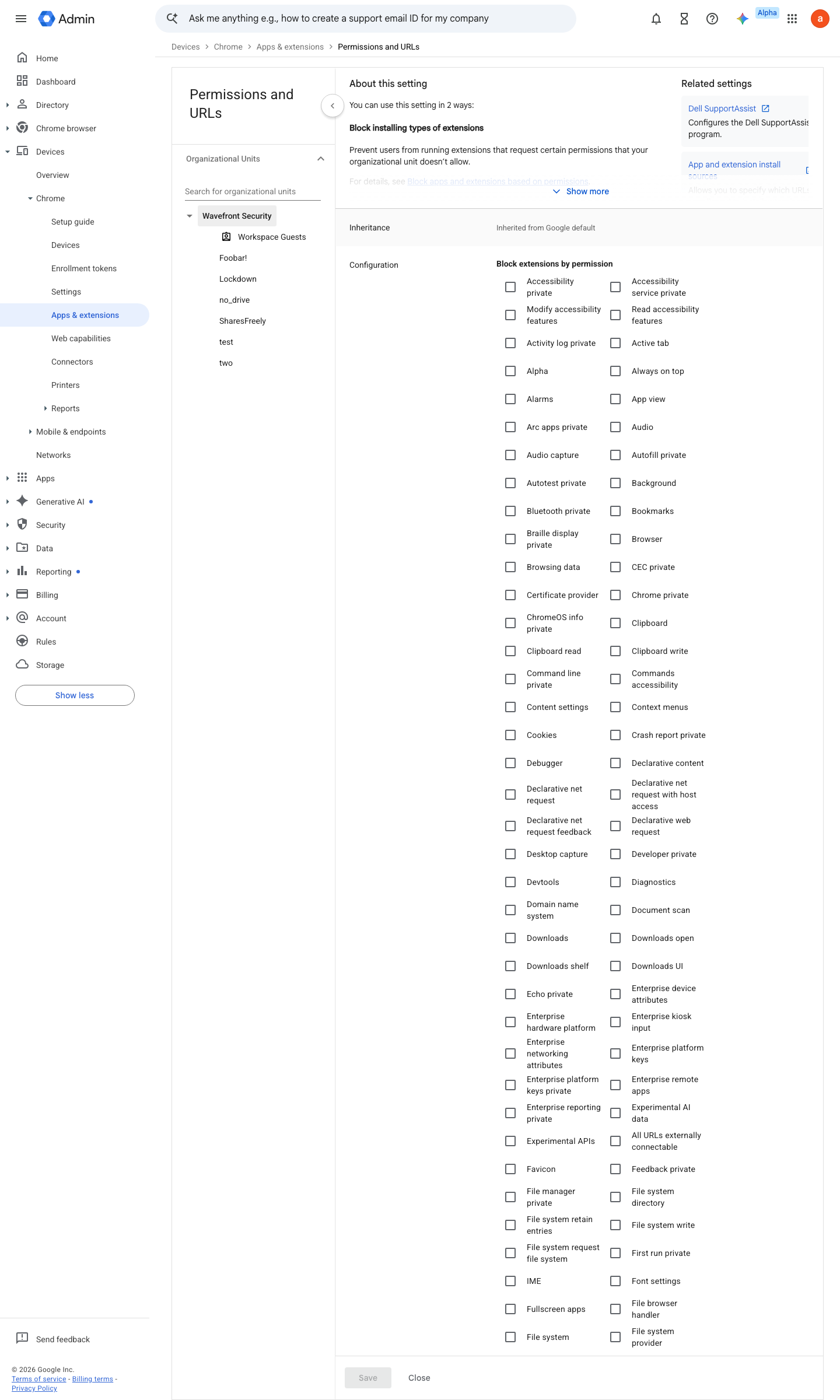
https://admin.google.com/ac/chrome/apps/user/settings/details/block_extensions_by_permission · captured 2026-07-15
Devices › Chrome › Apps & extensions › Users & browsers › Settings › Block extensions by permissionBlocked permissions (e.g. accessibilityFeatures.modify); ExtensionSettings JSON per extension: runtime_blocked_hosts; pin versions with a cooldown before updates roll
-
- Agent profile's OU: URLBlocklist
*- URLAllowlist
only the sites the agent may touch
Ongoing maintenance
- automatable: AI agent On every Chrome major release: read the enterprise release notes and adjust policies that changed meaning or default.
How to verify
-
On a managed profile, open chrome://policy and confirm the baseline policies are present with status OK and the expected source (Cloud user policy) — no admin access needed.
-
Confirm the browser is actually current.
chrome://version shows a release ≤ 2 versions behind stable
Further screens
Screen 1 of 1: Devices > Chrome > Settings > Users & browsers
open ↗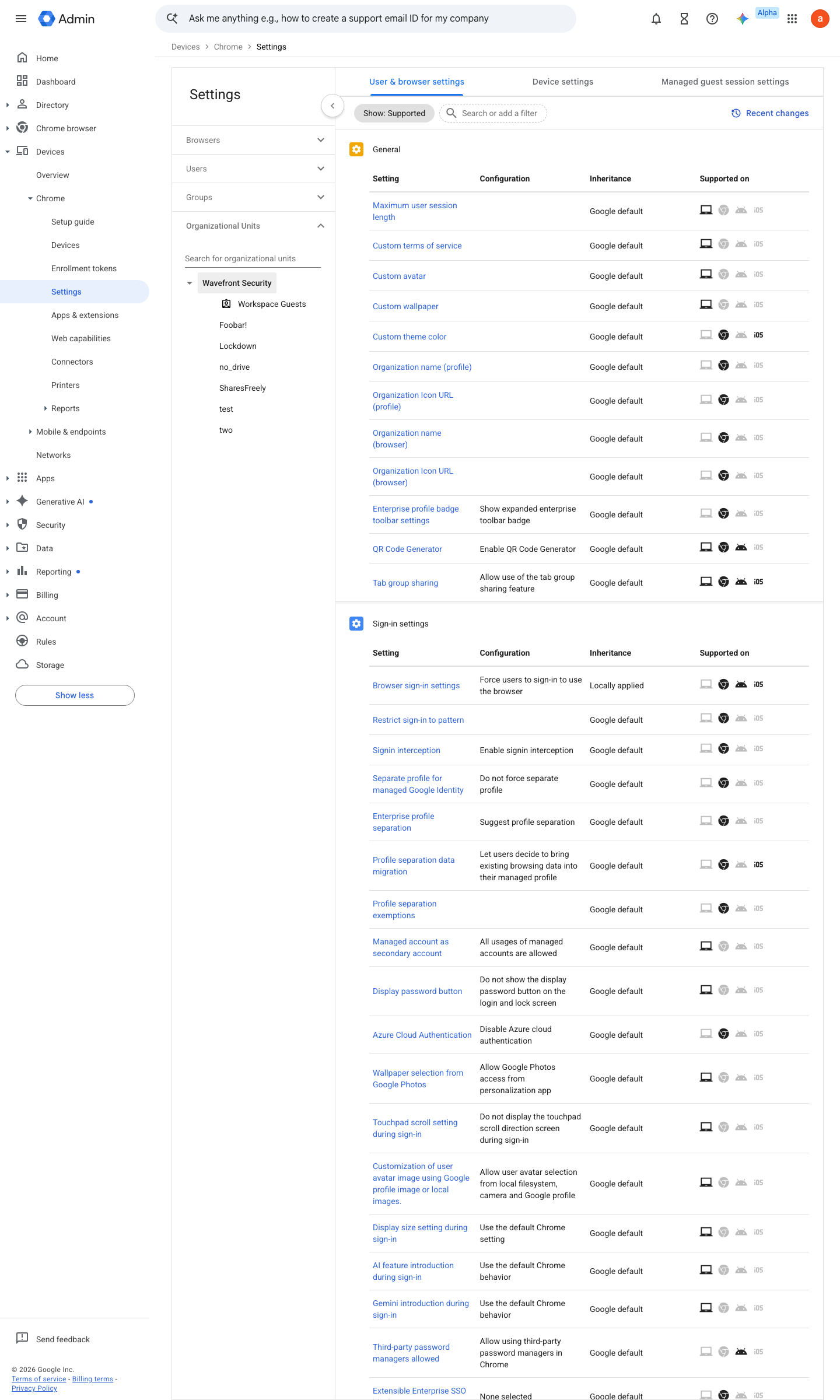
v0.7.0 Prevent edition All (Chrome Ent Core: free) policy #27 · #7 ↗